YouNeeK // Death Terminal

The terminal you
don't outgrow

A brutalist, GPU-accelerated terminal with AI-native command workflows. Fast. Minimal. Unapologetically powerful.

⬇ Download
Windows · macOS · Linux · source on GitHub

What it is

Most terminals are either fast but dumb, or smart but heavy. YouNeeK Death Terminal aims for both: low-level performance, AI-native workflows, and zero visual fluff.

It's written in Zig, renders through Vulkan with a software fallback, and is scripted with Lua. AI is optional and async: it assists, it doesn't interrupt, and nothing is inserted unless you accept it.

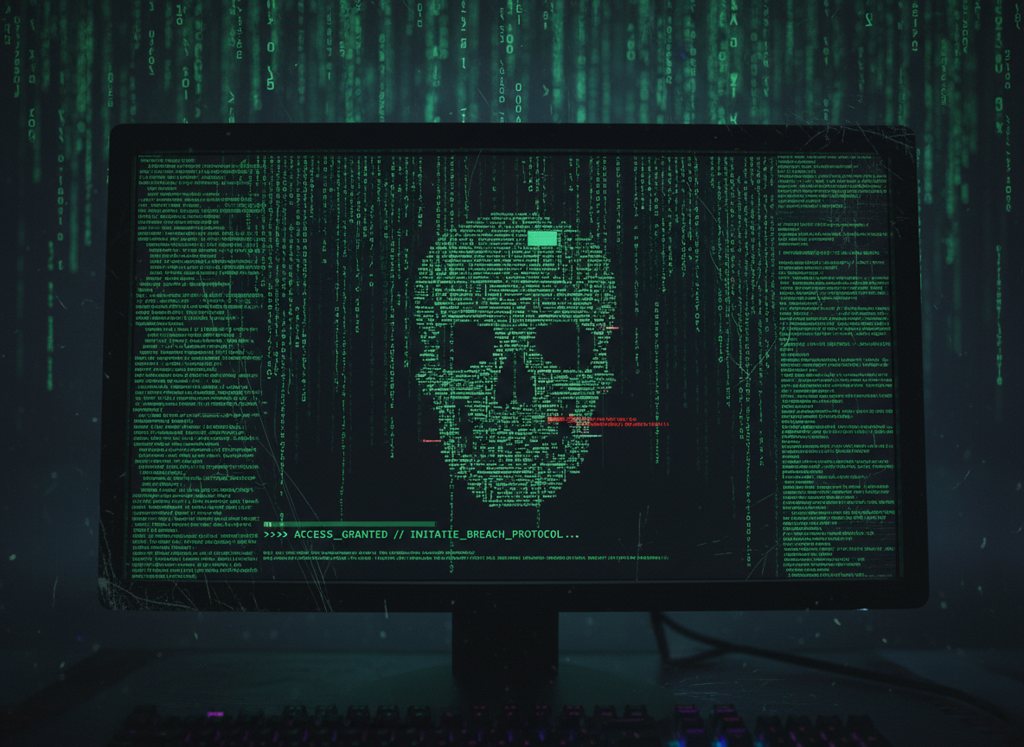
A skull made of green terminal text on a monitor

Context-aware, not just history-based

Ghost text suggestions. Tab to accept.

$ docker run - # → AI suggests (ghost text, Tab to accept): docker run -it --rm ubuntu:latest /bin/bash $ deathterminal --ssh prod # → Linux: profile from config.lua or ~/.ssh/config, forwards included

Features

Straight from the project README.

🤖 AI-native autocomplete

Suggestions from your typed input, working directory, recent commands with exit codes, recent output, shell and OS. Local Ollama by default, or any OpenAI-compatible server. Ctrl+Shift+A explains the last failed command; Ctrl+Shift+Q asks about the selection or screen. Secrets are redacted before anything is sent.

👻 Ghost Run

Risky commands (rm -r, git reset --hard, git push --force, dd, curl | sh and more) are held back. A read-only preview estimates the impact without running the command; y runs it, n cancels.

⏪ Time Travel

A snapshot of the working directory before each command, plus a diff after. Scrub the session and rewind the folder to just before a command with Ctrl+Alt+T. The rewind asks first and can be undone.

👁 Shared Haunting

Share the focused pane live with one other terminal, encrypted with Noise. LAN first, then a relay. The guest is read-only until you grant control, and only that pane is shared.

🔁 Muscle Memory

Repeated command sequences in a project are detected locally and offered as a named shortcut. Run it by name or from the command palette; it stops on the first failure.

⚡ GPU rendering (Vulkan)

Vulkan swapchain and SPIR-V glyph pipeline with a software fallback. FreeType and HarfBuzz text with ligatures, bundled JetBrains Mono, and smooth output under heavy logs and builds.

🔐 Built-in SSH + tunneling

deathterminal --ssh <profile|user@host> using libssh2, with Lua profiles and your ~/.ssh/config. Local, remote and SOCKS forwards, known_hosts checks. Linux only for now.

🔧 Lua config + plugins

Lua 5.4 config with live reload. Sandboxed plugins with memory/CPU limits and only the permissions you grant: hooks, command palette, status bar, themes.

🗂 Tabs + split panes

Tabs and horizontal/vertical splits, each pane with its own shell, scrollback, search and AI context. New panes inherit the working directory.

🎯 Brutalist design

No animations. No distractions. Maximum contrast, maximum signal. Optional retro 8×8 bitmap font.
Download & install

Windows (x64 or ARM64) · macOS (Apple Silicon and Intel) · Linux (x86_64 and aarch64)

DOWNLOAD

Windows

Zip download, or a one-line PowerShell install.

DOWNLOAD + INSTALL

macOS

Prebuilt nightly binaries for Apple Silicon and Intel, or a one-line install that sets up the app.

INSTALL / BUILD

Linux

No prebuilt binary is published yet. The install script builds it from source with Zig 0.13.

Windows

Or install from PowerShell, no administrator prompt:

irm https://raw.githubusercontent.com/AndrewGrayYouNeeK/Death-terminal-/main/install.ps1 | iex

That installs %LOCALAPPDATA%\DeathTerminal\bin\deathterminal.exe, adds it to your user PATH, and creates a Start Menu shortcut that runs deathterminal --gui. Windows builds are unsigned.

macOS

One-line install (Apple Silicon and Intel):

curl -fsSL https://raw.githubusercontent.com/AndrewGrayYouNeeK/Death-terminal-/main/install.sh | sh

That installs ~/Applications/YouNeeK Death Terminal.app, puts a symlink on the Desktop, and adds ~/.local/bin/deathterminal. Double-click the Desktop app, or run:

export PATH="$HOME/.local/bin:$PATH" deathterminal --gui

Prebuilt nightly binaries (raw executables with SHA-256 checksums, not an app bundle — the install script above is the easier route):

macOS has only been cross-compiled so far, not runtime-tested on real hardware.

Linux (x86_64 and aarch64)

No prebuilt Linux download is published yet, so Linux builds from source. The install script downloads Zig 0.13 and builds it for you.

One-line install:

curl -fsSL https://raw.githubusercontent.com/AndrewGrayYouNeeK/Death-terminal-/main/install.sh | sh
export PATH="$HOME/.local/bin:$PATH" deathterminal --gui

Or build it yourself with Zig 0.13.x:

git clone https://github.com/AndrewGrayYouNeeK/Death-terminal-.git cd Death-terminal- zig build run -- --gui # native window zig build run -- --headless # render into the current terminal zig build test # unit tests

Requirements: pkg-config, libx11-dev, libwayland-dev, libxkbcommon-dev, libfreetype-dev, libharfbuzz-dev, libfontconfig-dev, libssl-dev. A Vulkan loader + driver (libvulkan1, mesa-vulkan-drivers) at run time, or the software renderer is used. Optional fallback fonts: fonts-noto-cjk, fonts-noto-color-emoji.

Run the install command again to update. Uninstall and more: see the README.

Status

🚧 Actively in development — not yet a daily-driver terminal. Windows was checked under Wine and has not had runtime testing on real Windows or macOS yet. The built-in SSH client is Linux-only. Windows builds are unsigned.

MIT licensed. Contributors interested in terminal emulation, low-level graphics, systems programming, and AI tooling are welcome.

GitHub repo